
 Free WordPress plugin
Show your ShopperChecked reviews on your WordPress site
The ShopperChecked plugin brings your rating, your newest reviews and a “Rate us” button onto your own site: inside a post, in the sidebar, on product pages or as a badge on every page. You set it up from WordPress, without touching any code.
For WordPress 6.3 or later and PHP 7.4 or later · WooCommerce not required
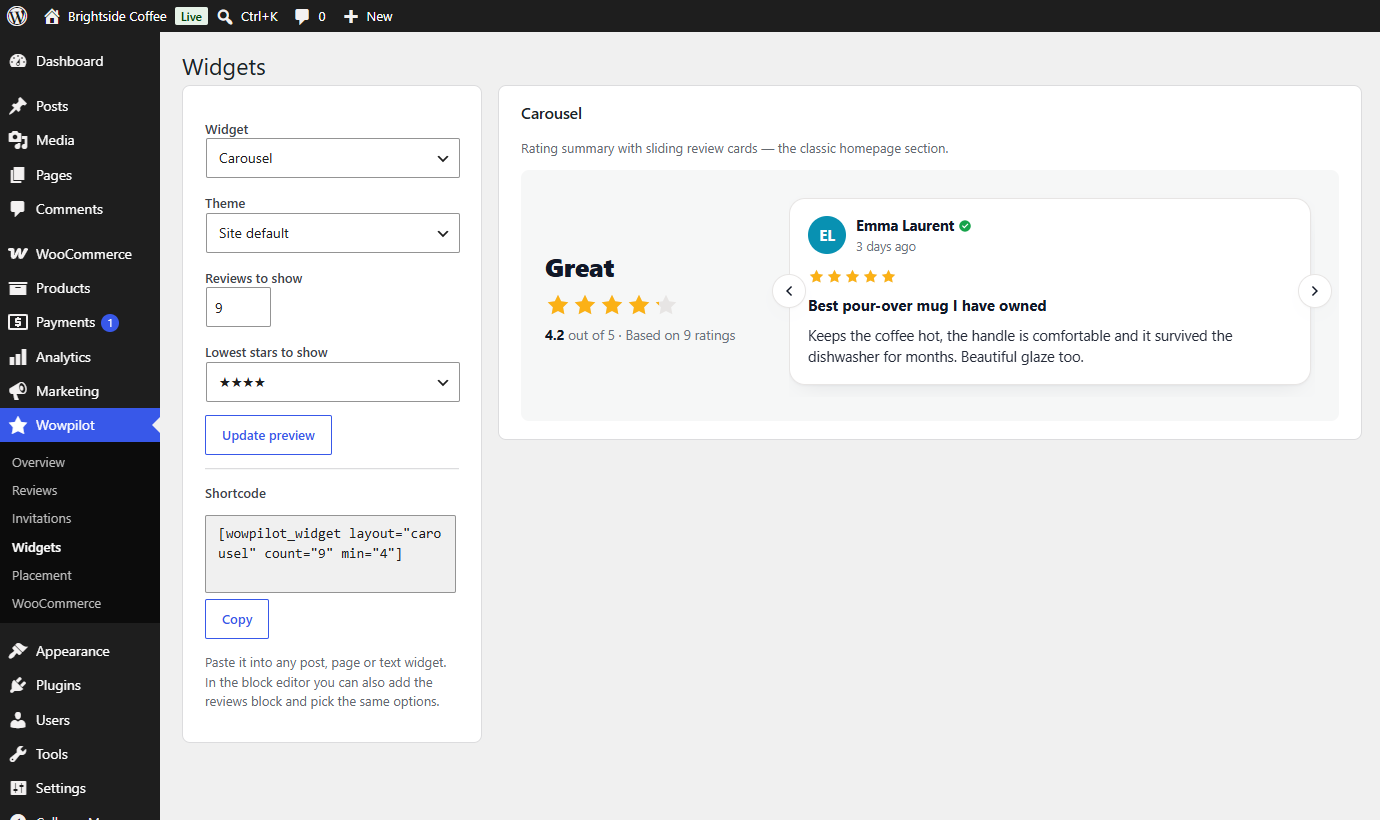
19 widget designs, all included
Pick a design, match its colour to your theme and see the result as you change it. Then copy the shortcode or add the block in the editor.
- Carousels, grids, star strips, floating badges and other layouts
- A live preview before anything goes on your site
- Every design in the plugin works on every plan
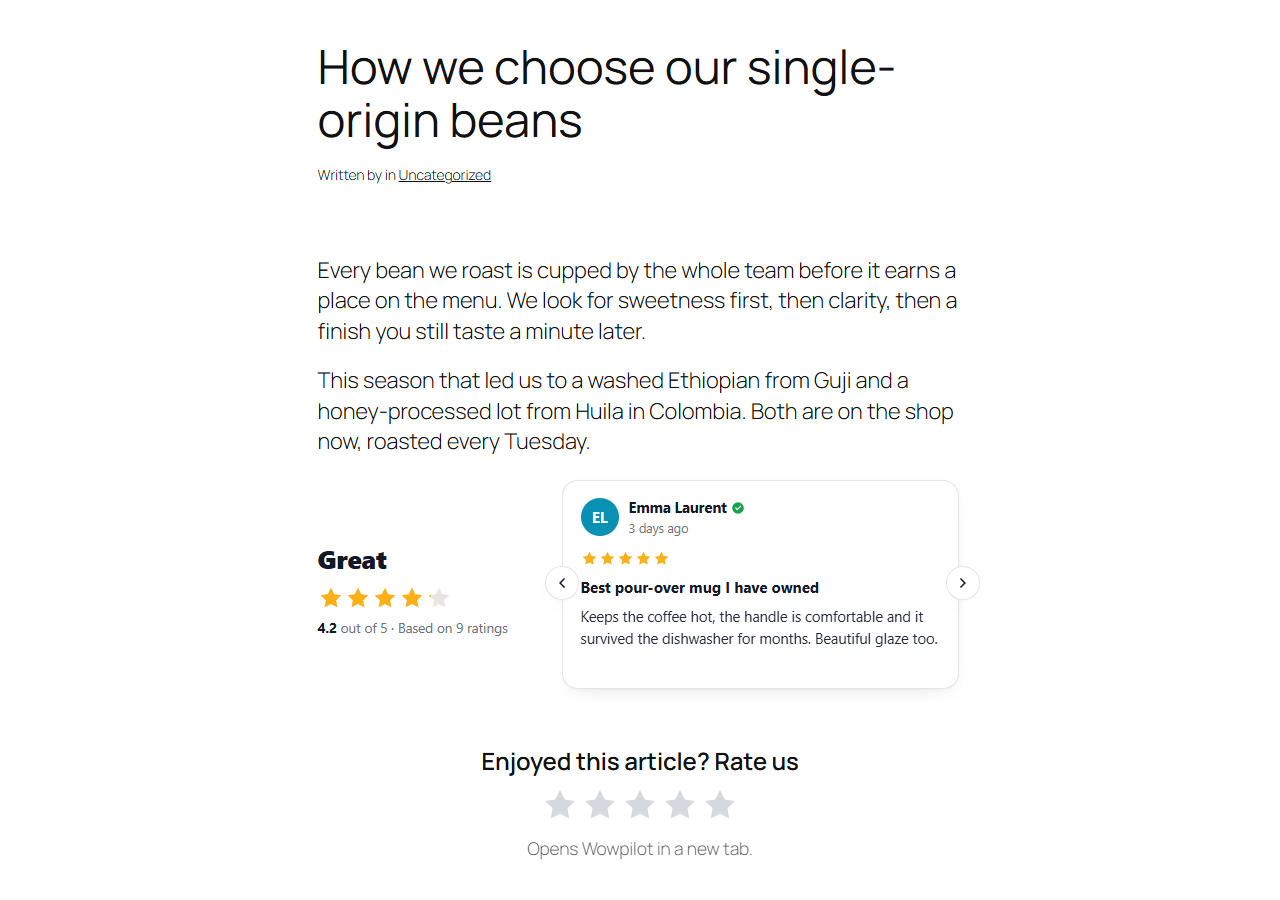
Add reviews under every post automatically
Switch on automatic placement and the widget appears below your posts and pages without you editing them one by one. Add the “Rate us” stars too, and readers can begin a review right where they are.
- Under posts and pages, or as a badge floating on every page
- Stars that open your review form with the chosen rating already selected
- A shortcode and a block for placing widgets by hand
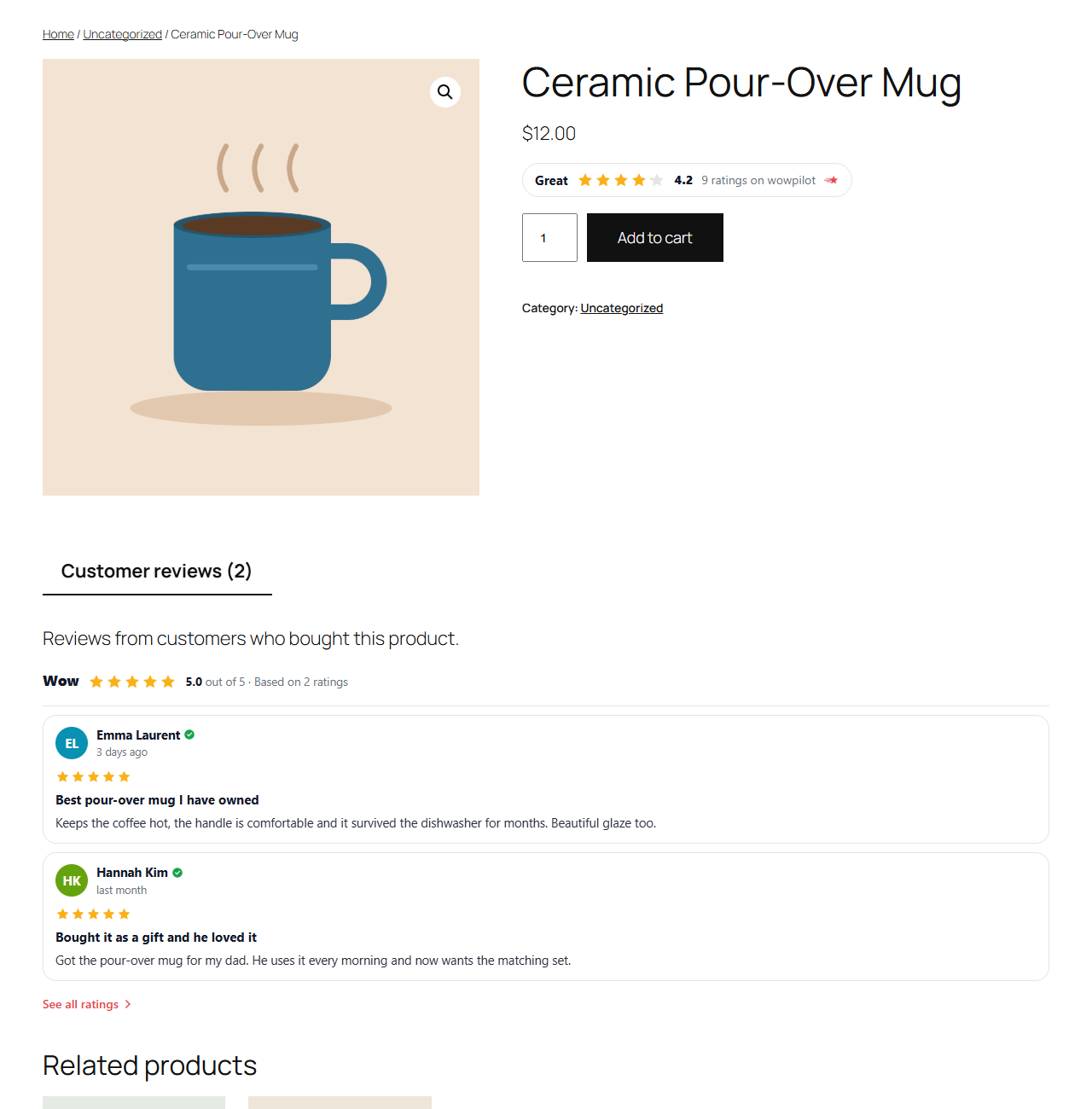
Product reviews for WooCommerce shops
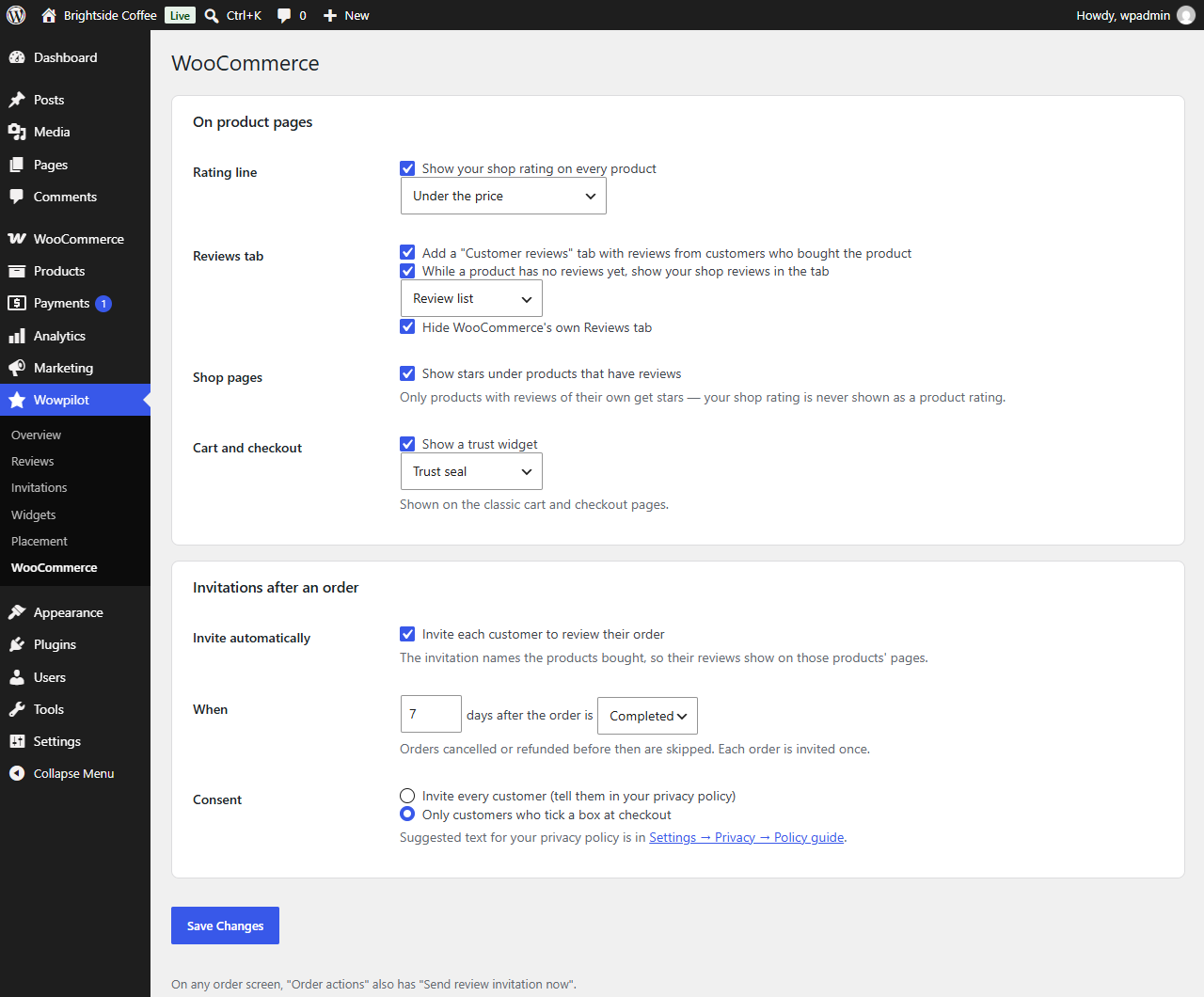
Your rating appears below the price on product pages, and the reviews tab shows what customers said about that product. In the shop and category listings, stars only appear on products that have reviews of their own.
- A rating strip next to the price, plus the reviews tab, basket and checkout
- Stars for each product in shop and category pages
- The option to hide WooCommerce's built-in reviews tab
Review invitations after each order
Choose how many days after an order the customer should be asked, and the plugin sends the invitation for you. Each order is invited once, refunded orders never are, and if your checkout asks for consent, only customers who agreed are invited.
- Triggered by the order status you choose, after your own delay
- An opt-in tick box for both classic and block checkout
- A “Send review invitation now” action on any order
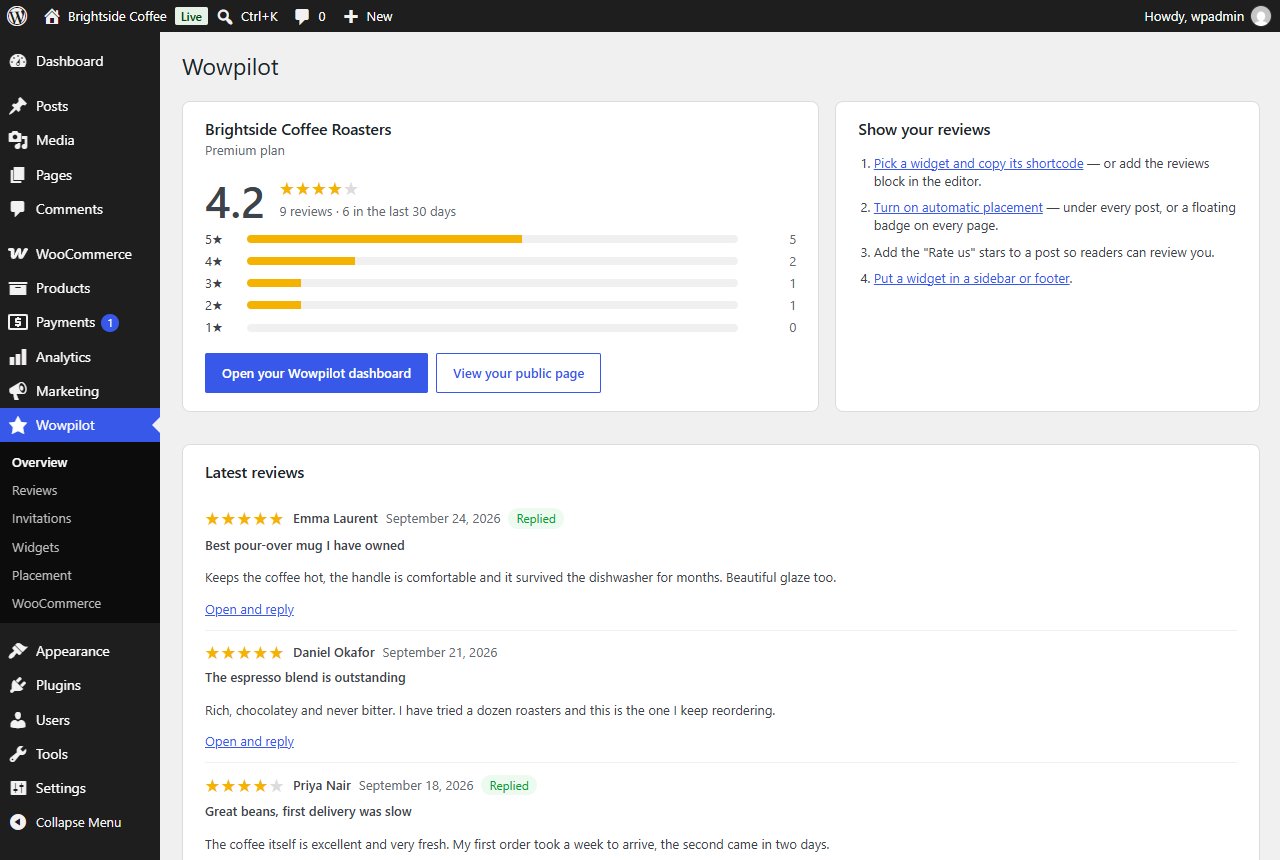
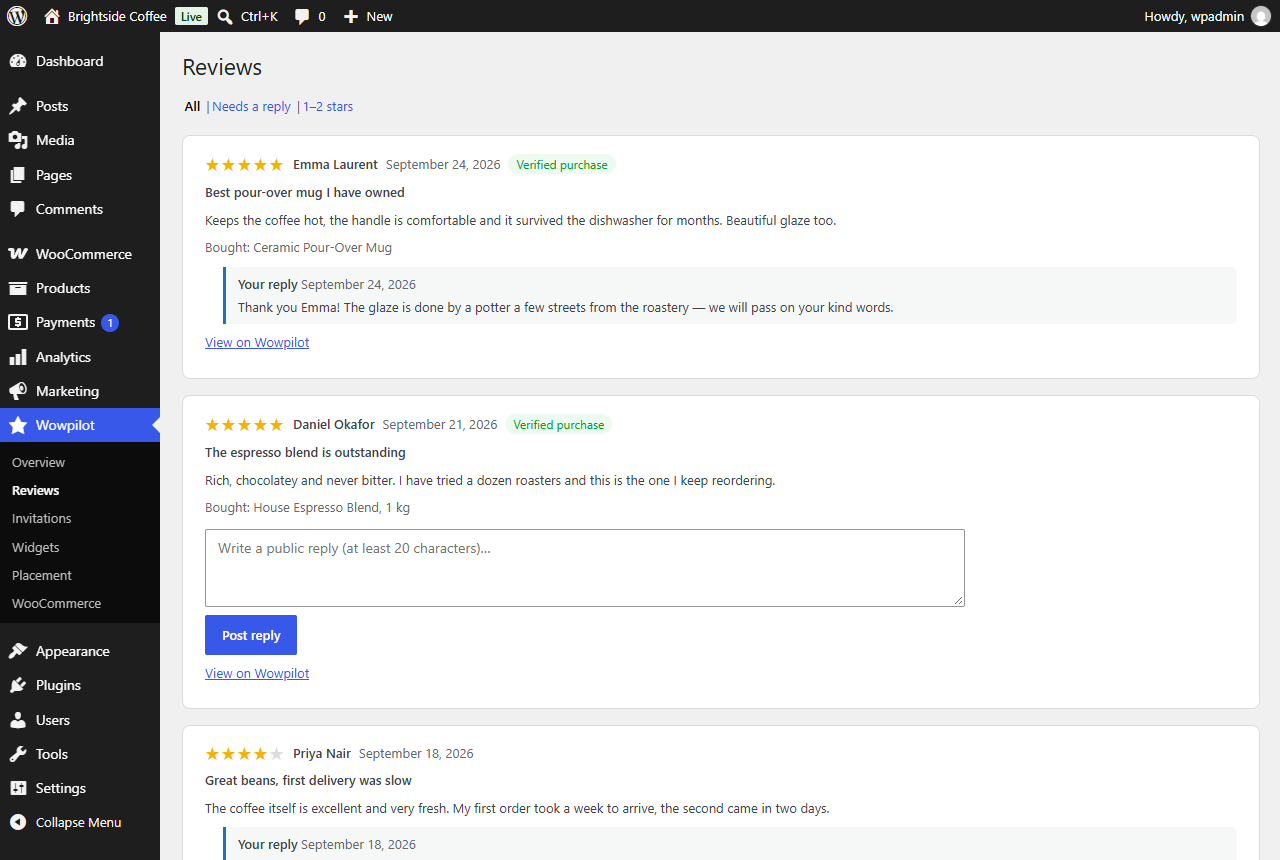
Answer reviews from your WordPress admin
New reviews arrive in an inbox in WordPress, shown next to what the customer ordered. Write your reply there and it is published on your ShopperChecked page.
- A filter for reviews you haven't answered yet
- The order linked to each verified review
- Editors can reply without having access to the settings
No outside scripts
The widget code is part of the plugin. Your server fetches and stores your rating, so your visitors' browsers never load a script from another site.
Keeps showing during an outage
If ShopperChecked can't be reached, the plugin keeps showing the last copy it had for up to a week, so your page never ends up with an empty gap.
No forced credit
The plugin adds no “powered by” link. You can switch one on if you want to credit us; it's off unless you do.
Setting it up
Install
Download the plugin file, then in WordPress open Plugins → Add New → Upload Plugin, choose the file, install it and activate it.
Connect
Press Connect, log in to ShopperChecked and approve the connection. The plugin gets its own key instead of your password, and you can revoke it at any time.
Add a widget
Choose a design and place it, or turn on automatic placement so it appears under your posts.
The plugin is free
Installing the plugin costs nothing, and every one of its designs works on every plan, the free one included. You connect it to your ShopperChecked business page, which you can claim for free as well.